 Laayo Biz
Get Laayo Biz on your devices
One account for every device. Install, then sign in with your mobile number, or pair the device with a 6-digit code from Outlets and devices.
Windows PC
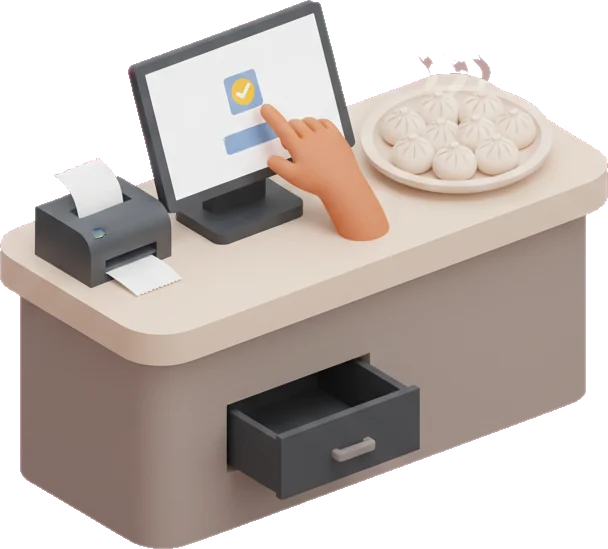
The counter. Bills, tables, kitchen tickets and day close.
Download for WindowsLaayoBiz-Setup.exe
- Open the downloaded file. Laayo Biz installs in under a minute.
- The first time only, Windows may say it protected your PC. Click More info, then Run anyway.
- Sign in with your mobile number, or type the 6-digit code from Outlets and devices.
Why does Windows ask? Windows shows this for apps it has not seen many times yet. The file comes from this page only. Check the file code below if someone sends you a copy.
Android tablet or phone
Counter, waiter phone, kitchen screen and owner app in one app.
Download for Androidlaayo-biz.apk · signed by Laayo
- Open this page on the tablet or phone, or scan the code with its camera.
- Open the file. If Android asks, tap Settings, allow installs from this source, then go back.
- Tap Install, open Laayo Biz and choose what this device is: counter, waiter, kitchen or owner.
iPhone and iPad
The owner app: sales, alerts, approvals and reports. Staff sign in with their own PIN.
Get it on TestFlightOn the App Store soon
- Install TestFlight from the App Store. It is Apple's app for new apps.
- Open our link on the iPhone and tap Accept, then Install.
- Open Laayo Biz and sign in with your mobile number.
Which device for which job
Mix and match. Every device works with the same account.
| Job | Best on | Also works on |
|---|---|---|
| Counter | Windows PC with a receipt printer | Android tablet |
| Waiter | Android phone | iPhone |
| Kitchen | Android tablet or TV box on the wall | A kitchen printer only |
| Owner | iPhone or Android phone | Any browser at biz.laayo.com.np |
Set up your printer
Any thermal receipt printer, 58 mm or 80 mm. Print a test page from Settings, Printers.
USB
- Plug the printer into the PC and turn it on.
- In Laayo Biz, open Settings, Printers, tap Find.
- Pick it, choose the paper width and print a test.
LAN or Wi-Fi
- Connect the printer to the shop router.
- In Settings, Printers, tap Find or type its IP address.
- Choose which station it prints: bills, kitchen or bar.
Bluetooth
- Pair the printer in the tablet's Bluetooth settings.
- In Laayo Biz, open Settings, Printers and pick it.
- Print a test. Keep the tablet near the printer.
Cash drawer: plug it into the printer. It opens with every cash bill.
Only install files from this page. If someone sends you a file, check its file code matches the one shown here. Stuck? Call 9707055875, 9 AM to 9 PM.
Installed? Make your first bill.
Sign up free, or sign in if your shop already has an account. We help you set up, in Nepali.
Free for 1 deviceMenu set up freeHelp in Nepali, 9 AM to 9 PM