 Restaurant billing by Laayo, made in Nepal
Billing that never stops.
Bills, kitchen tickets and waiter orders on one counter. Keeps working when the internet goes down.
One shop, every screen
The counter, waiter phones, the kitchen and the owner app work as one. Change a price once and every device has it.
Laayo Biz · Counter 1
The counter
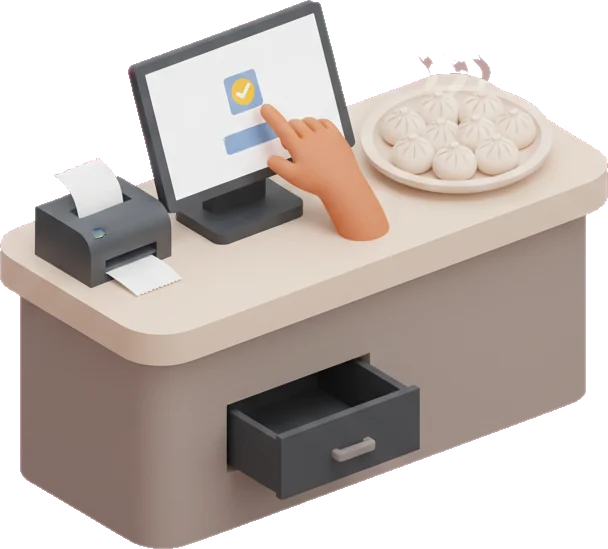
Bill in a few taps on the Windows PC or Android tablet you already have.
- Every order on one screenDine-in, takeaway, delivery and Laayo orders side by side.
- Split, move and mergeSplit a bill by item or amount, move a table, merge two.
- Fast keysSearch, pay and print without the mouse.

Waiter phones
Waiters take the order at the table and it reaches the kitchen at once.
- Tables at a glanceFree, ordered, waiting for the bill, with time at the table.
- Send to the kitchenChoices and notes go with every item. No paper slips.
- Shop Wi-Fi is enoughWaiter phones keep working when the internet is down.

The kitchen screen
Every ticket in order, with a timer. Or keep the printer: both work together.
- Late tickets stand outTimers on every ticket. The oldest is always first.
- Allergies are loudAn allergy note is shown big on the ticket and the print.
- Ready reaches the counterTap Done and the waiter and counter see it.


The owner app
Know how the shop is doing from anywhere, on iPhone or Android.
- Sales right nowToday against last week, by hour, by item.
- Alerts that matterCancels after print, big discounts, cash short at day close.
- Approve from the phoneDiscounts and cancels above your limit wait for your OK.
 built in
Laayo orders, bookings and table QR on the same counter
No second tablet for online orders. Everything from Laayo lands where you already bill.

Everything a restaurant needs at the counter
Simple to learn. Your staff start billing in minutes.


And everything to run the shop
From the back office on any browser, or the owner app on your phone.
Menu and stock
- Photos, choices, Nepali names
- Stock goes down with each bill
- Stock count, waste, reorder
Staff
- Roster and attendance
- Leave and payslips
- PINs and roles
Accounts
- Daybook and khata
- Expenses and purchases
- Profit and loss each month
Guests
- Guest list, with their OK
- Loyalty, offers and feedback
- E-bill by SMS or WhatsApp
Guard
- Bills are never deleted
- Cancels and discounts logged
- Device check on every counter
Reports
- Sales by day, hour and item
- Payments, staff and tables
- BS calendar, export any time
More outlets
- One menu, local prices
- Compare outlets side by side
- Move stock between outlets
Taara
- A short summary of the day
- Roster ideas you approve
- Never touches money or bills
Start billing today
No visit needed. No card needed.
Sign up in 2 minutes
Your shop name and mobile number. We send a 6-digit code by SMS.
We set up your menu, free
Send us a photo of your menu or type it in. Prices, choices and kitchen stations.
Start billing
Install on the PC or tablet you have, connect the printer and make your first bill.
The shop keeps going
Load shedding, a cut cable or a slow line: billing never waits for the internet.
The counter keeps billingBills and kitchen tickets still print.
Waiter phones on shop Wi-FiOrders still reach the kitchen.
Syncs when it is backEvery bill goes up by itself.
Bills are never deletedA cancel keeps who, when and why.
Simple prices, per outlet
Start free. Move up when you add devices. Prices include VAT.
Works with what you have
No special machine to buy. Use your own PC, tablet and printer.
Windows PC
Windows 10 or 11, 64-bit. The main counter.
Android tablet or phone
Counter, waiter phone or kitchen screen.
Receipt printer
58 or 80 mm, by USB, LAN or Wi-Fi, or Bluetooth.
Cash drawer
Plugs into the printer, opens with each cash bill.
Kitchen screen
An Android tablet or TV box on the kitchen wall.
Questions shops ask us
Something else? We answer the phone, in Nepali.
Call 9707055875Help in Nepali, 9 AM to 9 PMWhat happens when the internet goes down?
Do bills show our PAN and the BS date?
Which printer do I need?
Can waiters use their own phones?
Is our data safe?
Can I start on my phone?
Is there a contract? Can I cancel?
Does it work in Nepali?
Who sets it up?
I already sell on Laayo. What changes?
Get the apps
One account for every device. Sign in with your mobile number.
Your first bill in a few minutes.
Start on the PC, tablet or phone you already have. We set up your menu and help you, in Nepali.